Read the stock.
Trade the option.
Draw targets and stops on your TradingView stock chart. You click Buy. When the stock reaches your level, the local engine sells the option through Interactive Brokers.
Free DEMO & Paper · Live trading from $29.99/moWhen NVDA reaches $187.20sell 50% of your 185 calls
Illustration with sample data. Stock levels trigger orders; option fill prices vary.
- ChartTradingView · Chrome or Desktop
- BrokerInteractive Brokers · built-in DEMO
- EngineRuns on your computer
- LatestmacOS 2.0.23 · Windows 2.0.23
Your signal is the stock.
Your position is the option.
- Option-premium rule
Exit when this option is worth $3.10.
Option premium Option exit- The OptionTrigger rule
When NVDA reaches $187.20, sell 50% of my calls.
Stock price Option exit
You read the stock chart and buy calls or puts intraday. Check your fit
Desktop keeps watch while you trade.
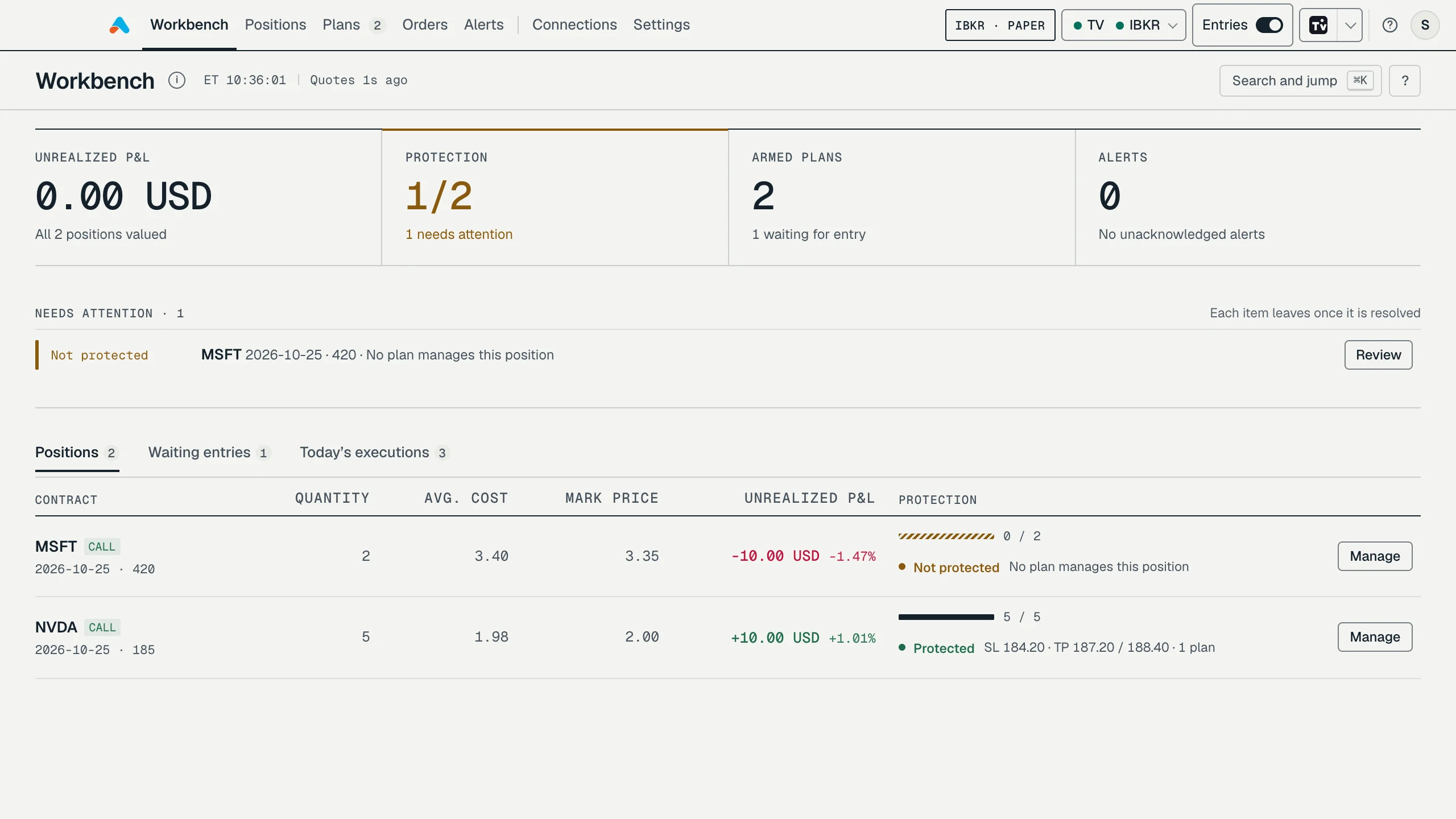
Positions without full protection, plans that are not ready and unread alerts collect in one queue. Each row leaves once it is resolved.
Desktop · sample data · IBKR Paper
Software applies your rules.
It never guesses.
- BUY
Arming never enters.
A plan waits on the chart until you click Buy. Exits manage only the quantity that actually filled.
- HALT
Stop new entries in one click.
Open positions keep their stops and targets. A daily loss or entry limit can stop entries for you. Resuming asks you to confirm.
- ?
Unknown stays blocked.
After a disconnect the engine reconciles orders, fills and positions with your broker before anything resumes.
- LOCAL
Orders go from your computer.
optiontrigger.com handles accounts and billing only. It is never in the order path.
Practice free.
Pay when you go live.
The full workflow in DEMO and Paper. Premium when you’re ready for a live account.
Every workflow feature is in both plans. Premium adds live IBKR accounts. Compare plans
Prices in USD. Broker commissions and market-data subscriptions are separate. Premium subscriptions renew automatically unless cancelled.
Before you
get started.
What does OptionTrigger do?
OptionTrigger is built for intraday traders who analyze a stock and trade its calls or puts. Put targets and stops on the underlying stock chart in TradingView, choose your option contract, then explicitly enter. The local engine watches the stock-price rules and sends option exits through IBKR for the quantity actually filled.
Are targets based on the stock or the option premium?
The chart-based take-profit and stop-loss levels are prices of the underlying stock, not the option premium. For example, a rule can sell 50% of your NVDA calls when NVDA stock reaches $187.20. Your broker’s option bid/ask quotes are a separate input used for sizing and order pricing. The actual option fill price is not fixed by the stock-price target.
What is included in the Free plan?
Free includes the built-in DEMO broker and IBKR Paper accounts, with the planning and execution workflow available for practice. Using a live brokerage account requires Premium. There is no separate alert-only mode.
Which brokers are supported?
The launch scope supports Interactive Brokers through TWS or IB Gateway. DEMO is a built-in simulator. Moomoo is deferred and is not currently available.
Does arming a plan place an order?
No. Arming activates the plan, starts data subscriptions and lets AutoSize prepare suggestions. You explicitly click Buy to submit an entry order. Live-entry confirmation is enabled by default and can be changed in settings.
Rehearse tomorrow’s setup
tonight, in DEMO.
Install Desktop, pair your chart and run a full plan against the built-in simulator: entry, scale-out and stop. Connect IBKR when you’re ready.
No card needed for DEMO or Paper.