The short answer
A take-profit is an order to sell at a price better than the current one. In TWS you can place it four ways: a plain sell limit on the option, the profit taker of a bracket, several sell limits for parts of the position, or a sell order that waits for the stock to reach a price.
The first three are set in option prices. Only the last follows the stock chart.
Which way does what?
| Method | Target is set in | Several targets | Works with a stop |
|---|---|---|---|
| Sell limit on the option | Option price | One order per target | You manage both |
| Bracket profit taker | Option price | One target per bracket | Yes. The target and the stop cancel each other |
| Conditional order on the stock | Stock price | One order per target | Link the orders, or one can sell after the other |
| OptionTrigger | Stock price, as lines on the chart | Each target sells its share | Yes. The stop covers what remains |
How do I place one take-profit in TWS?
A sell limit
- Select the option position and create a sell order for the quantity you hold.
- Set the order type to limit and the price to your target for the option.
- Choose the time in force: a day order ends at the close, a good-till-cancelled order stays.
- Transmit. The order rests until the option trades up to your price.
A target with a stop
Right-click the position in the Portfolio or Monitor window and choose Trade, then Create Target/Stop Exit Bracket. TWS creates a sell limit above the current price and a sell stop below it, linked so that one filling cancels the other. The details are in IBKR bracket orders for options.
How do I place multiple take-profits?
Split the position across several sell limits. With 10 contracts, one order might sell 5 at the first target and another sell 5 at the second.
Two things need care when a stop is also working:
- The stop’s quantity is not reduced for you. After the first target sells 5, a stop still set for 10 would sell more contracts than you hold. Reduce it to what remains.
- A bracket holds one target. For two targets and a stop, either create two brackets of 5 contracts each, or manage separate orders by hand.
How do I take profit at a stock price?
If your target is a level on the stock chart, for example resistance at $188.40, an option limit price is a guess at what the option will be worth when the stock gets there.
In TWS the alternative is a conditional order: a sell order on the option that is submitted when the stock reaches the level. Each target is its own order with its own quantity. The steps are in how to sell an option when the stock hits a price.
How does OptionTrigger take profit?
Targets are lines on the TradingView stock chart, each with the share of the position it sells. When the stock reaches a target, the local engine sells that share of the filled position through TWS or IB Gateway, and the stop then covers what remains.
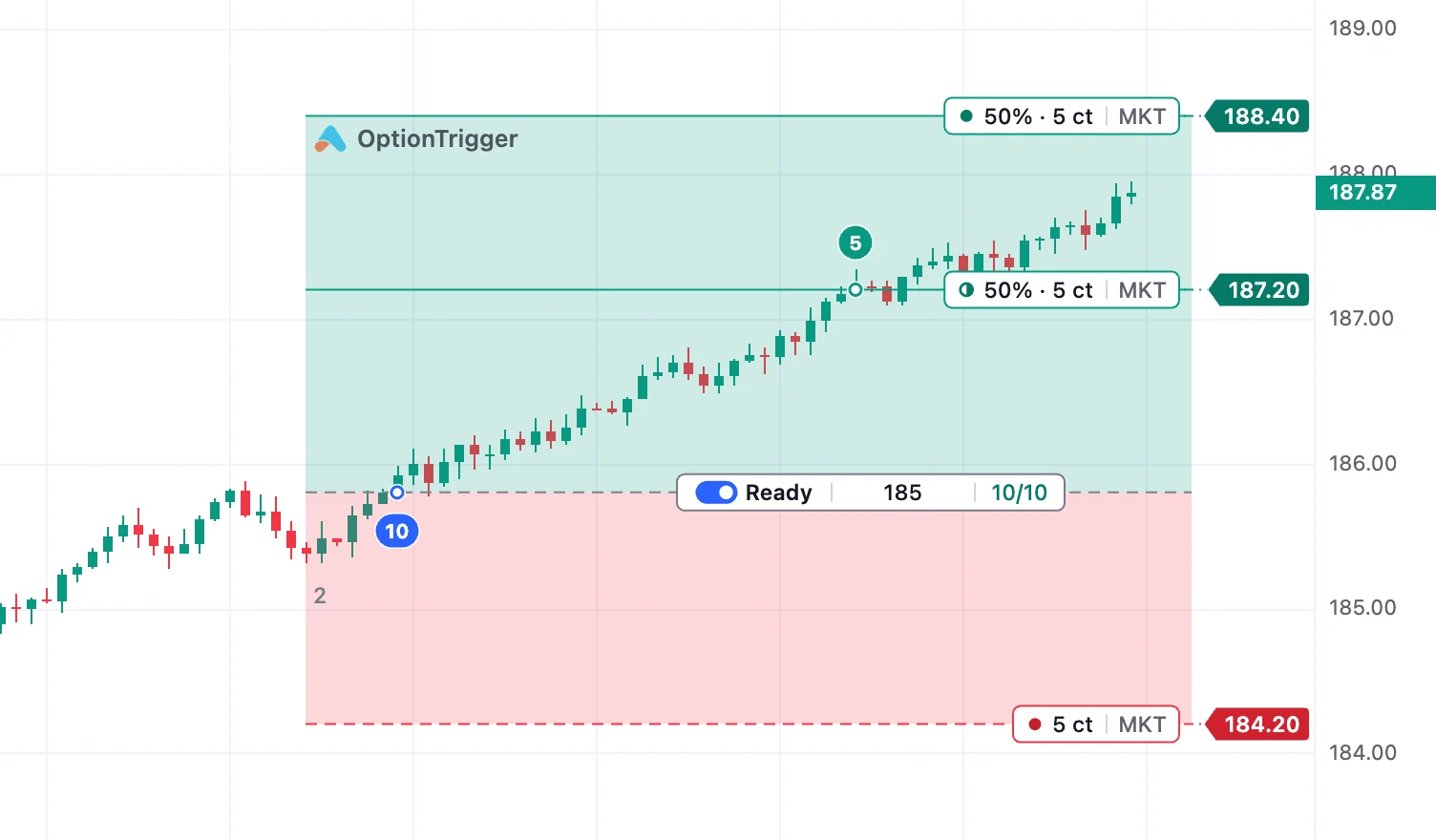
The sell order itself follows the exit policy you set in Desktop.
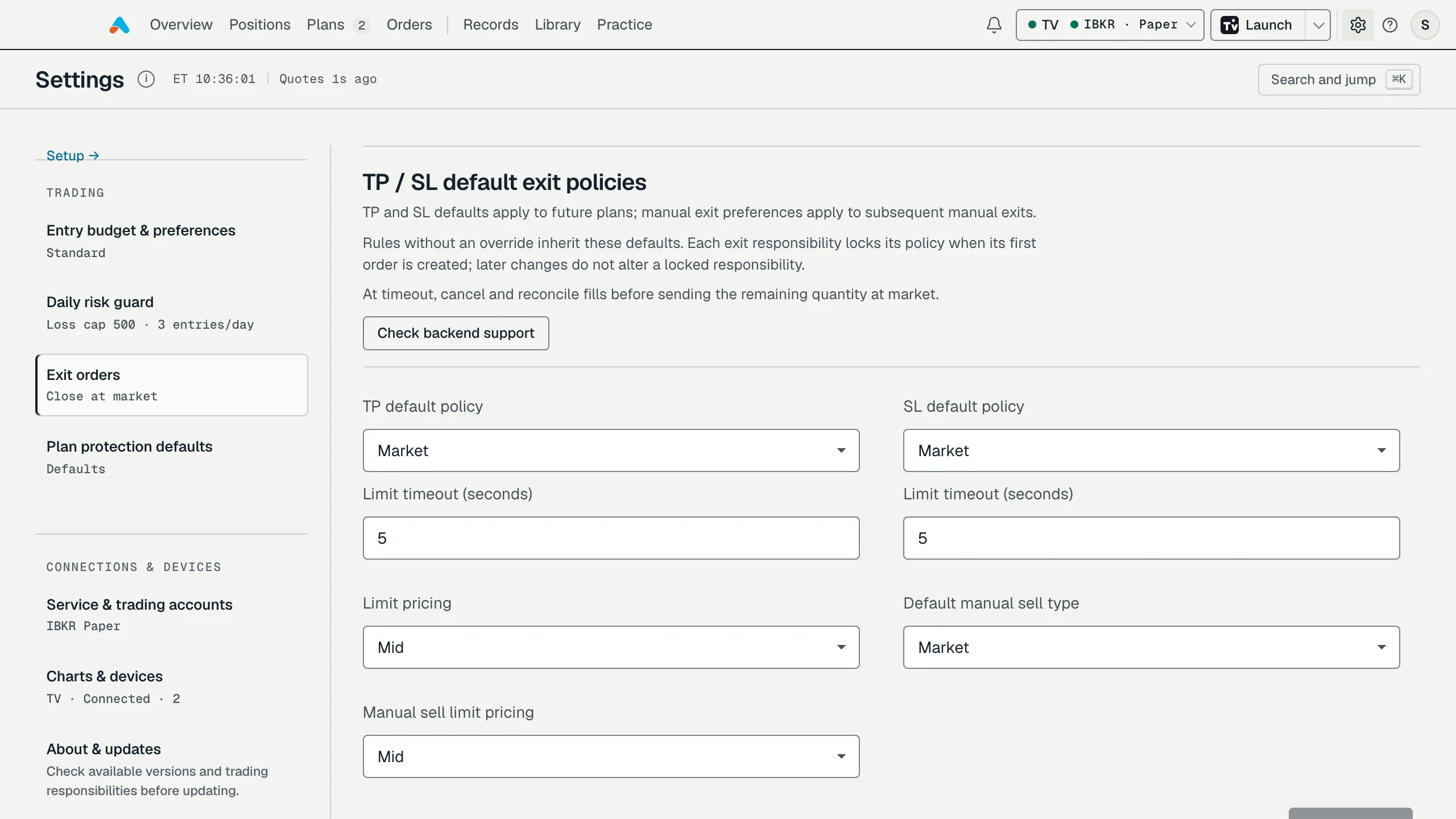
A target is a condition on the stock, not a price for the option. The exits run on your computer and need Desktop, the chart data and the IBKR connection to stay up. OptionTrigger trades single-leg long calls and puts only.
Limit or market when the target is reached?
A resting sell limit on the option never sells below its price, and it can be left unfilled if the option touches the price briefly. A market order sells at once at the bid, which on a wide spread gives back part of the gain.
For a target on the stock price the choice is made when the stock arrives. A limit near the bid, with a market order as the fallback after a short wait, is a common middle course.
Official references
TWS order tickets and conditional orders are documented by Interactive Brokers:
Frequently asked questions
How do I take profit on an option in IBKR?
Place a sell limit order on the option at your target price, or create a target and stop bracket from the position. To use a stock price as the target, add a price condition on the underlying to the sell order.
How do I place multiple take-profit orders on one position?
Create one sell limit per target, each for part of the position. If a stop is also working, reduce its quantity as targets fill, or use one bracket per part.
Can a take-profit in IBKR trigger on the stock price?
Yes, as a conditional order: an option sell order that waits for a price condition on the underlying stock.
Does a take-profit order stay active overnight?
Only with a good-till-cancelled time in force. A day order ends at the close.
Does OptionTrigger place the take-profit at IBKR in advance?
No. The targets are stock-price levels kept by the local engine. It sends the option sell order when the stock reaches a target, so Desktop and the IBKR connection must be running.