The short answer
A trailing stop order placed on an option trails the option’s own price. Interactive Brokers has no single order that sells your option when the stock falls a set distance from its high: a condition on the underlying holds one fixed price.
To trail the stock you have three choices: move the stop yourself as the stock makes new highs, keep replacing a conditional order at the broker, or use a tool that trails a level on the stock chart and sells the option when the stock comes back to it.
What does a broker trailing stop on an option follow?
The option. In Interactive Brokers, a trailing stop is triggered by the same trigger method as a stop order, and for US options the default method reads the option’s bid and ask quotes. The trail amount is a distance in option dollars or a percentage of the option price.
The option’s price moves with the stock, and also with implied volatility, time decay and the width of the spread. A trail that looks generous in premium terms can be reached while the stock is still making higher lows.
| Trail on the option price | Trail on the stock price | |
|---|---|---|
| Follows | The option’s quotes | The underlying stock |
| Moved by volatility and time decay | Yes | No |
| Distance is set in | Option dollars or percent of premium | Stock dollars or percent |
| Matches a level you read on the chart | No | Yes |
| Available as a broker order | Yes, at brokers that accept trailing stops on options | No. Something has to watch the stock and act |
How do I trail the stock price by hand?
The rule is short. Here it is for a call; for a put, mirror it with lows.
- Choose the trailing distance in stock dollars before you enter, for example $0.80.
- Start with your ordinary stop on the stock, for example $184.20.
- Each time the stock makes a new high, move the stop to that high minus the distance. A high of $186.07 moves it to $185.27.
- Never move the stop back down when the stock pulls back.
- When the stock trades down to the stop, sell the option.
It costs nothing and it works, as long as you are at the screen for every new high and for the exit.
Can a conditional order trail the stock?
Not by itself. An IBKR conditional order holds one fixed price on the underlying. To trail with it you cancel the order and enter a new one with a higher price each time the stock advances.
That is workable for a swing trade that you adjust once or twice a day. For an intraday trade it is the manual method with more typing. The steps for a single conditional order are in how to sell an option when the stock hits a price.
How does OptionTrigger trail the stock?
The stop is a line on the TradingView stock chart. Turn trailing on from the stop’s label and the line follows the stock in your favor, keeping the distance you set, in price or in percent.
- It starts from where your stop is. Turning trailing on does not jump the stop. The distance becomes the gap between the latest stock price and the stop at that moment.
- It only advances. When the stock pulls back, the stop stays where it is.
- You can still drag it. For a call, dragging the stop up keeps the same distance; dragging it down widens the distance.
- Turning it off freezes it. The stop stays at the level it has reached.
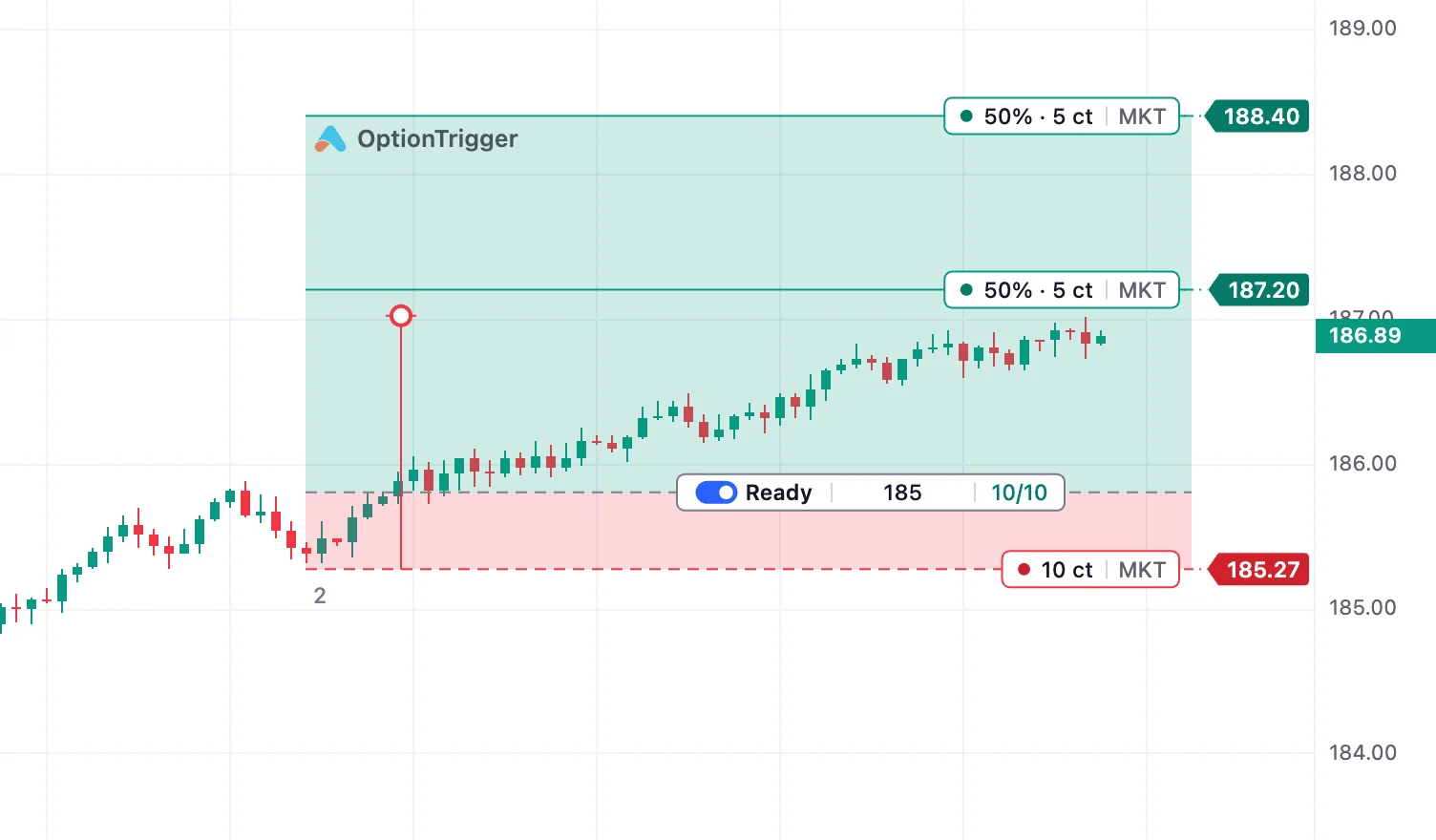
When the stock reaches the trailed level, the local engine sells the filled option position through TWS or IB Gateway. The level is a condition on the stock, not a fill price for the option, and the engine runs on your computer: Desktop, the chart data and the IBKR connection have to stay up. Trailing is available on the Free plan in Practice and IBKR Paper accounts.
Which way fits?
| By hand | Conditional order, replaced | OptionTrigger | |
|---|---|---|---|
| Who moves the stop | You | You, by replacing the order | The local engine |
| Who sells at the stop | You | IBKR | The local engine, through IBKR |
| What must keep running | You, at the screen | Nothing between adjustments | Desktop, the chart data source and the IBKR connection |
| Best for | Occasional trades | Swing trades adjusted daily | Intraday trades planned on the chart |
Official references
How IBKR triggers stop and trailing stop orders is defined in its own documentation:
Frequently asked questions
Can I set a trailing stop on an option based on the underlying stock price?
Not as a single broker order. A broker trailing stop on an option follows the option’s price. To trail the stock you move the stop by hand, replace a conditional order as the stock advances, or use a tool such as OptionTrigger that trails a level on the stock chart.
Does IBKR have a trailing stop that follows the underlying?
No. A trailing stop in TWS trails the instrument the order is on. A conditional order can watch the underlying, but its price is fixed until you replace it.
How far should the trailing distance be?
Far enough that the stock’s ordinary pullbacks on your timeframe do not reach it. Many traders start from the size of the stock’s recent swings. It is a judgment about the stock, not a rule.
Does a trailing stop on the stock lock in a profit on the option?
No. It decides when the option is sold. What the option is worth at that moment depends on its own market, so an option can be sold for less than you paid even after the stop has moved above your entry.
Does the trailing stop keep working if I close TradingView?
OptionTrigger needs Desktop, a chart data source and the IBKR connection running for automatic exits. Check the health status in Desktop before you rely on it.