What's New in OptionTrigger v1.2.1
OptionTrigger v1.2.1 brings preferred expiration dates, position modes, multiple purchase support, and many stability improvements.
Posted by
 Ethan Jiang
Related reading
0DTE Options on TradingView: Strategy, Risk & IBKR Execution Guide
Complete guide to 0DTE options trading from TradingView charts — strategy types, risk management, IV behavior, and how to execute 0DTE single-leg orders with auto exits through IBKR.
Options Trading Automation Software: 2026 Comparison Guide for TradingView Traders
Compare the top options trading automation tools for TradingView: webhook relays vs chart-native execution. PickMyTrade, TradersPost, OptionTrigger — features, pricing, and which fits your workflow.
Covered Call Strategy on TradingView: Visual Guide with IBKR Execution
Learn the covered call options strategy on TradingView charts — stock selection, strike price analysis, IV context, and how to execute covered calls through IBKR with visual trade management.
Tags
OptionTrigger v1.2.1 is a significant update that builds on v1.1.5, introducing smarter contract selection, more flexible position sizing, and a range of stability improvements.
New Features
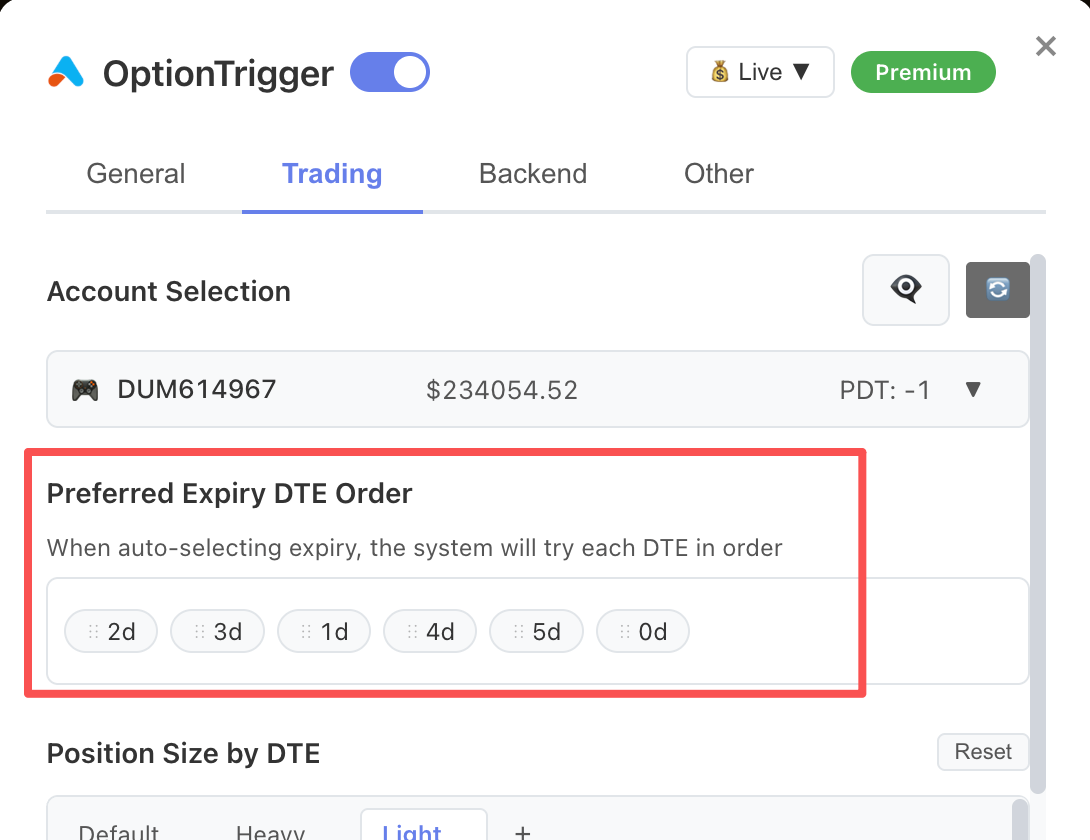
📅 Preferred Expiration Date
You can now set a default expiration preference in Global Settings. When AutoSize selects a contract, it will automatically pick the closest matching expiration to your preference — no more manually hunting for the right DTE each time.
This is especially useful for traders who consistently target a specific DTE range.
⚖️ Position Mode
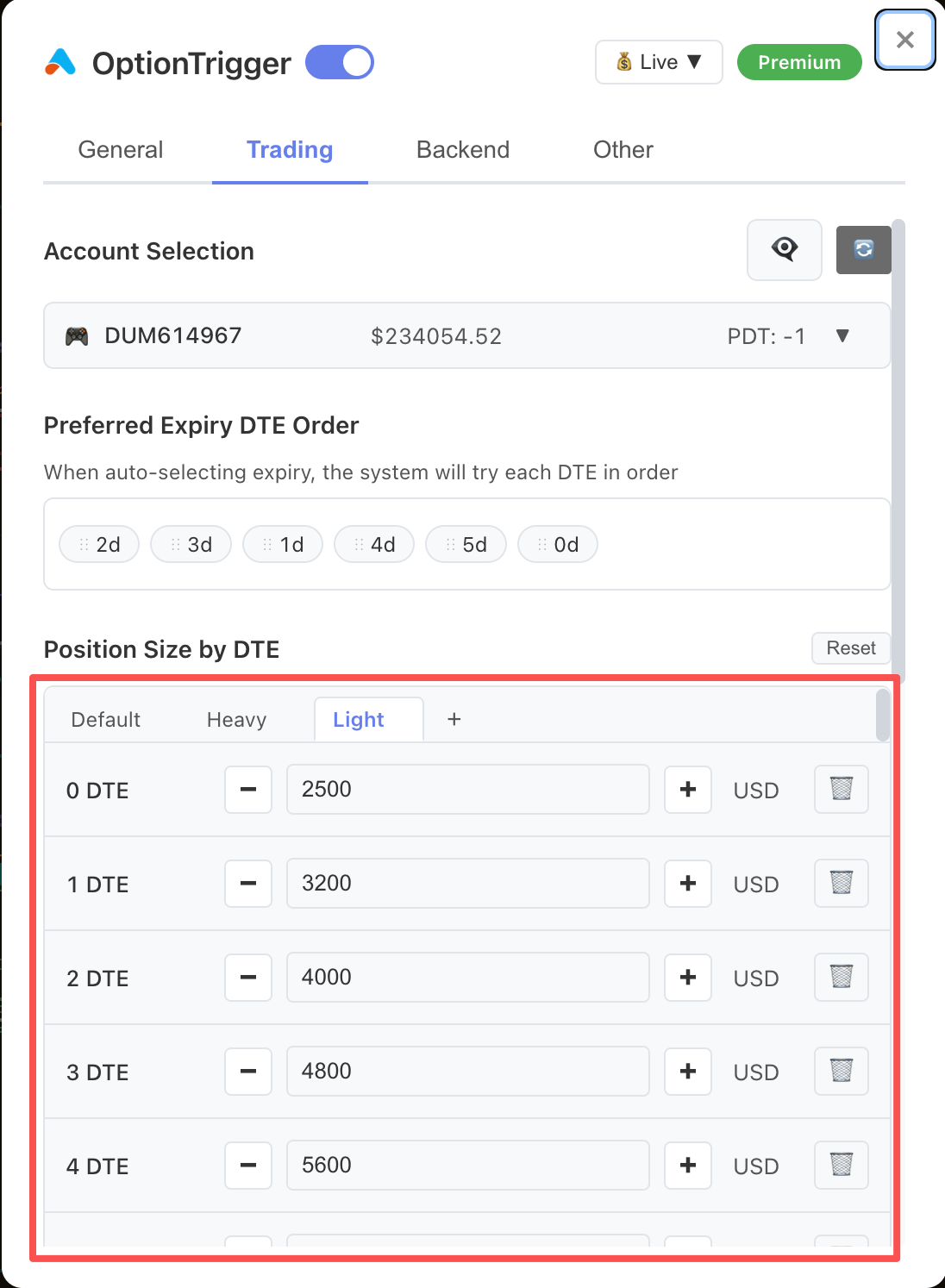
A new Position Mode setting lets you define your default sizing style:
| Mode | Description |
|---|---|
| Heavy | Full position size for high-conviction trades |
| Light | Reduced size for exploratory or hedging trades |
| Custom | Set your own ratio multiplier |
Position Mode works alongside AutoSize to calculate contract quantities that match your risk appetite without requiring manual overrides each trade.
🔁 Multiple Purchases & Ratios
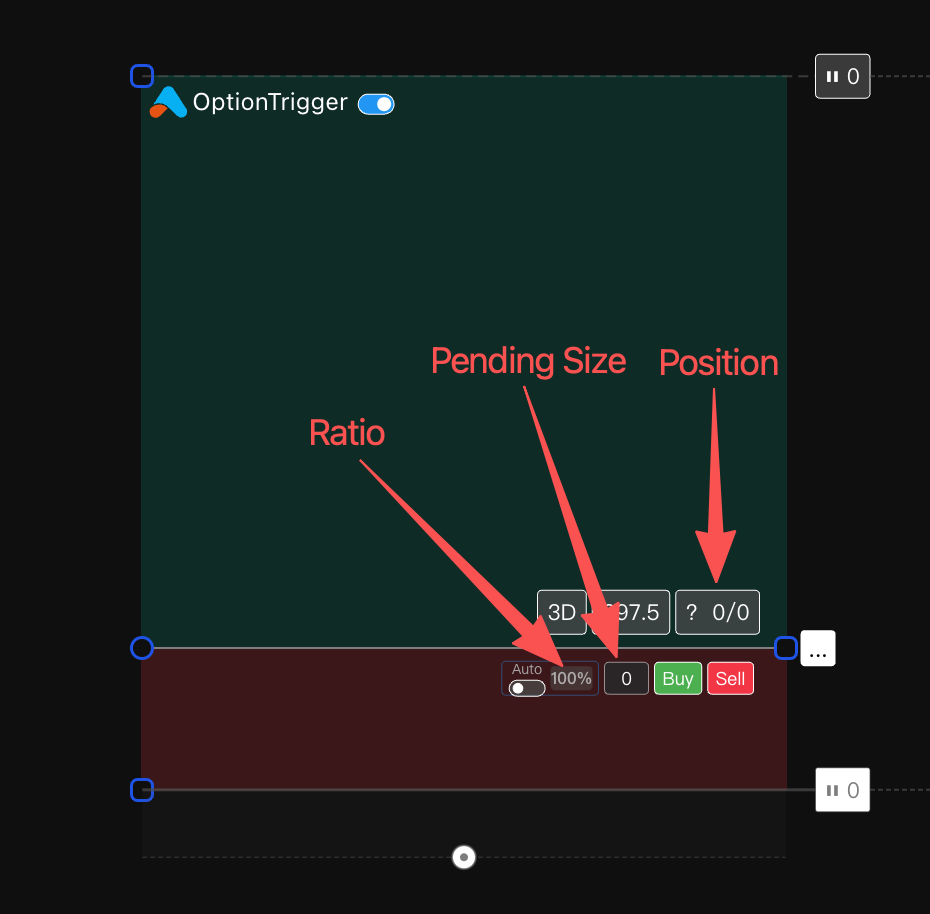
You can now buy into positions across multiple tranches from the same trade plan. Configure a temporary position ratio to scale your order differently from your default — ideal for scaling in, adding to winners, or managing complex multi-leg strategies.
This gives you the flexibility to express a full position across several entries while keeping your TP/SL plan intact.
🔧 Bug Fixes & Stability
A large number of issues reported since v1.1.5 have been resolved, including:
- Improved reliability of WebSocket reconnections
- Fixed edge cases in option chain loading
- Resolved display glitches in the portfolio panel
- Stability improvements for IBKR and Moomoo broker adapters
Bug Fixes
This release includes fixes for over a dozen reported issues. If you were experiencing unexpected behavior in previous versions, upgrading to v1.2.1 is strongly recommended.
Key areas addressed:
- Extension — Fixed occasional failure to detect Long/Short tools after TradingView updates
- Backend — Improved error handling for dropped broker connections
- Desktop — Resolved a window state persistence issue on Windows
Getting Started
If you are new to any of these features, the following help articles have been updated to cover v1.2.1 behavior:
| Feature | Article |
|---|---|
| AutoSize & expiration preferences | AutoSize Feature |
| Placing orders with position sizing | Placing Your First Order |
| Managing open positions | Portfolio Panel |
| Desktop setup | Desktop Setup Guide |
Upgrade now — download the latest version from the Downloads page or update directly from the Desktop app.