AutoSize Feature
Learn how AutoSize automatically selects the optimal option contract based on your risk parameters
AutoSize is a Premium feature that automatically selects the optimal option contract based on your risk parameters, saving time and reducing errors in contract selection.
Premium Feature: AutoSize requires a Premium subscription.
What is AutoSize?
Manually selecting option contracts involves:
- Choosing expiration date
- Picking strike price
- Calculating position size
- Balancing risk vs. reward
AutoSize automates this entire process based on your defined risk tolerance.
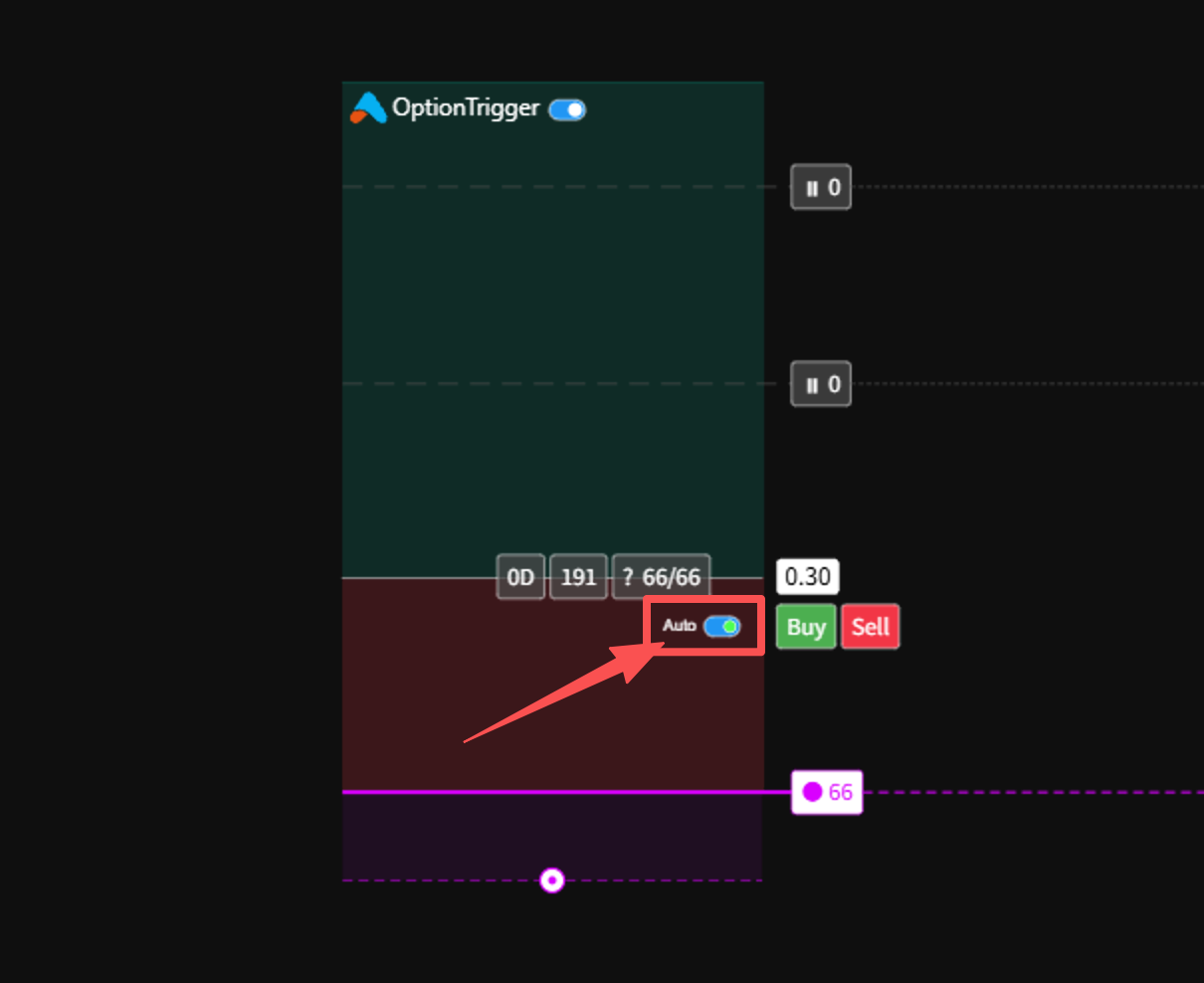
How AutoSize Works
Draw Your Trade Plan
Create a Long/Short position with entry, TP, and SL levels.
Enable AutoSize
Toggle AutoSize ON in the position label to enable automatic contract selection.
AutoSize Calculates
AutoSize analyzes available contracts and finds the best match.
Review and Execute
Review the suggested contract and place your order.
AutoSize Parameters
| Parameter | Description |
|---|---|
| Position Amount | Dollar amount to risk per trade (set per DTE in Global Settings) |
| Expiration Priority | Preferred DTE order for contract selection |
| Price Range | Min/Max option price to consider |
| Min Contracts | Minimum number of contracts that must be affordable |
| Allow ITM | Allow selecting in-the-money options when OTM options don't meet criteria |
Using AutoSize

What AutoSize Considers
AutoSize evaluates contracts based on:
- Price Range: Filters contracts within your configured min/max price
- Liquidity: Prefers contracts with available prices and sufficient affordability
- Expiration Priority: Selects based on your preferred DTE order
- Strike Distance: Chooses the nearest OTM option to your entry price
Benefits of AutoSize
| Benefit | Description |
|---|---|
| Consistent Risk | Never risk more than intended |
| Time Savings | Skip manual calculations |
| Reduced Errors | Eliminate sizing mistakes |
| Better Execution | Optimal contract selection |
Tip: Set default AutoSize parameters in Global Settings to apply to all new trades.
Next Steps
| Feature | Description |
|---|---|
| Placing Your First Order | Execute trades |
| Portfolio Panel | Manage positions |
| Stop-Loss Modes | Protect your trades |
- Trade Options on TradingView — brokers, tools, workflows
- Options Trading Automation Playbook — webhooks vs chart-native execution
- IBKR + TradingView for Options — permissions, TWS, troubleshooting
Pro Tip: Start with conservative risk settings and adjust as you gain experience.